
All your storage accounts, pooled into drives.
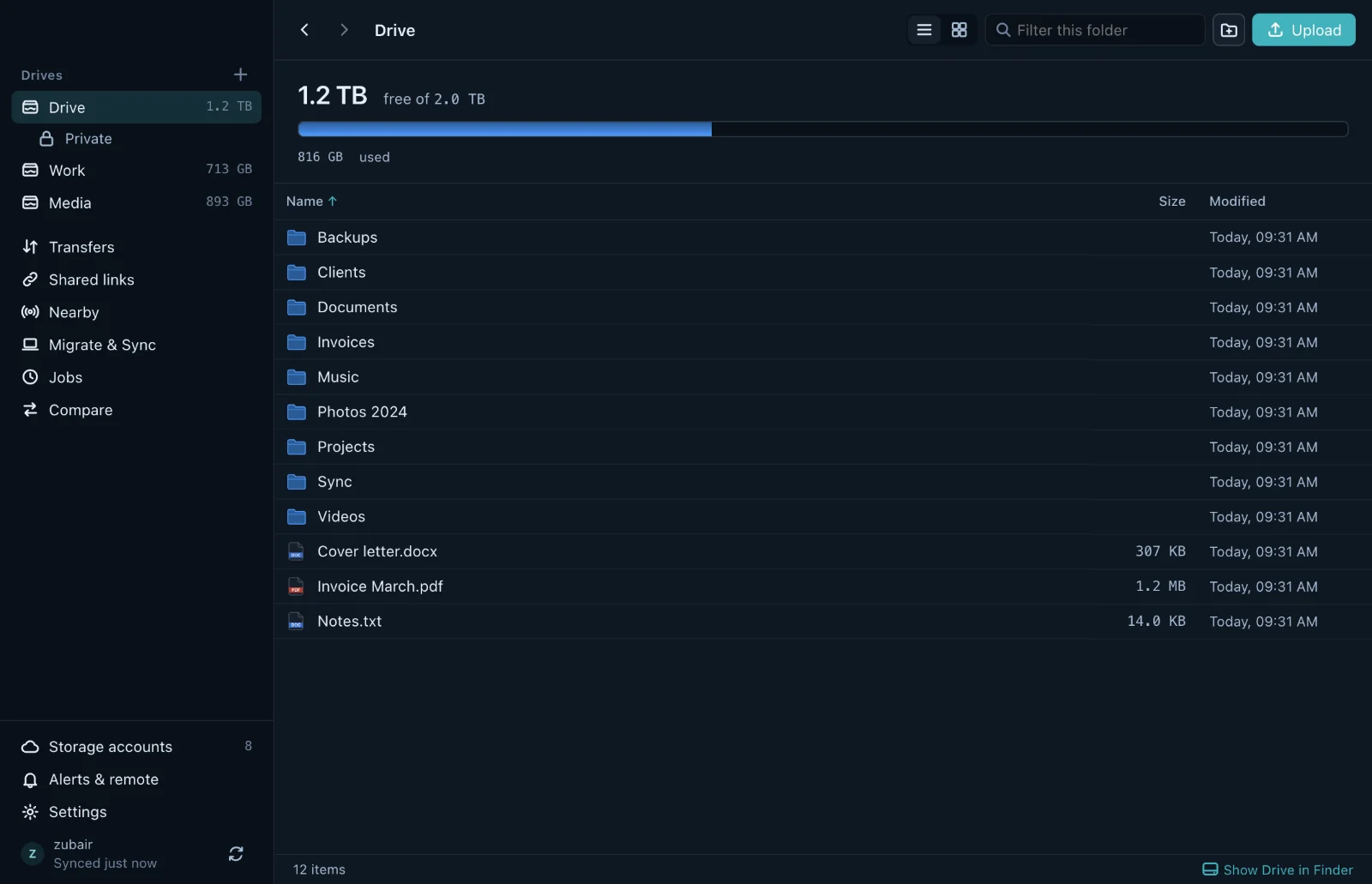
CloudPool connects to 59 storage services, from Google Drive, MEGA and TeraBox to S3 buckets and your own NAS. It adds up their space and shows the result as drives in Finder, File Explorer or your Linux file manager.
Works with 59 storage services, including
See all 59- Google Drive
- MEGA
- TeraBox
- GitHub
- OneDrive
- Dropbox
- iCloud Drive
- Proton Drive
- Amazon S3
- Cloudflare R2
- Backblaze B2
- Nextcloud


How it works
Connect accounts. CloudPool does the filing.
You never pick an account for a file. CloudPool places each one by size, remembers where it went, and shows everything as one tree of folders.
1Connect accounts
- Google Drive15 GBSmall files
- MEGA20 GBSmall files
- TeraBox1 TBBig files
- TeraBox1 TBBig files
- Backblaze B210 GBBig files
Any mix of services, as many accounts of each as you own. Files already in them show up untouched.
2Files are placed by size
- Under 100 MB
To a small-file account with room.
- 100 MB to 3.5 GB
Whole, to a big-file account with room.
- Over 3.5 GB
In pieces across big-file accounts, put back together when you open it.
The 100 MB line can move between 25 MB and 500 MB, and any account can switch between small and big.
3Use it as a drive
- Small-file accounts35 GB
- Big-file accounts2.01 TB
The drive appears in Finder, File Explorer or your Linux file manager. Save into it from any app.
Storage
59 services, as many accounts as you own.
Personal drives, S3 buckets and your own NAS all work the same way. Group them into separate drives such as Personal, Work and Media, each with its own accounts and its own disk on your computer.
- No limit on how many accounts a drive holds
- Files already in an account show up, untouched
- Open any drive, or a single account, in its own window

Two-way sync
Folders that stay the same everywhere.
Keep a folder identical on your computer and in your drive, with changes flowing both ways. When the same file changed in both places, CloudPool keeps both copies instead of guessing which one wins.
- Deleted files wait 30 days in the drive's Deleted files folder
- One folder, kept the same on several computers
- Back up instead when you only want a copy, photos from your phone included
- Pause all syncing with one button; changes wait until you resume

Scheduled jobs
Copies and checks that run on their own.
Copy, mirror, move or check files between any two places: a folder on your computer, a drive, a single account, or a photo library such as iCloud Photos. Filter by name, size and age, and run a job every few minutes, daily, on chosen weekdays or when CloudPool starts.
- Run, stop, enable or delete many jobs at once
- The last 25 runs of each job, with what they did
- An alert by email or in chat when a job fails

Private folders
Folders the storage service cannot read.
Each drive can have a private folder. Files you put in it are encrypted on your computer before they are uploaded, names included. The service stores scrambled names and contents; your own computers open them as usual.
- XSalsa20-Poly1305 for contents, AES-EME for file names
- A key made on your computer, kept only inside your encrypted login
- Can appear as a disk of its own
On your computer
- Taxes
- Return 2025.pdf
- Passport.jpg
What the service stores
- q4k1v0dmo8lf2c7u9s3aphe6jr
- 8vj2kqe0n6s9ka2m0l7ofh8b1t
- h3tb1e5r0ip6u2gq8c4nvd9mk0
Also in CloudPool
The details that make it dependable.
Compare folders
Two folders side by side, filtered to what differs. Copy the differences either way or export them as CSV.
Migrate
Move whole folders off your computer to free up space, with a restore button for each one.
Alerts
Desktop, email, Slack, Discord or Telegram, with rules for problems only, quiet hours, a daily summary and low space.
Remote control
Pair your own Telegram, Discord or Slack bot, then ask for the status, start a sync, pause or run a job.
Command line
A
cloudpoolcommand for terminals and scripts: status, ls, upload, sync now, jobs run and more.Speed controls
Upload and download limits, only during the hours you choose if you like, and how many files move at once.
App lock
A passcode or Touch ID before CloudPool shows your files. Syncing carries on while it is locked.
Detailed logs
What CloudPool and its engine did, with filters, passwords hidden, and a debug level when you need it.
Back after a restart
Drives mount again by themselves after a restart or when the computer wakes up.
Share links
Short cloudpool.vercel.app links that show the name and size, and count how often they were opened.
Nearby
Send files over Wi-Fi to computers running CloudPool and to phones with the free LocalSend app.
Phone web app
Browse, upload, download and share from an iPhone or Android phone, with your computers switched off.
Security
Your files go straight to your storage.
CloudPool has no file servers. You sign in with Google, your account list is kept encrypted, and your files travel between your devices and your storage services.
Read the security overview- Sign in
- Google, with state, nonce and PKCE
- Account list
- AES-256-GCM; the database never holds its key
- API keys
- Scoped permissions, stored only as SHA-256 fingerprints
- Keys on your computer
- macOS Keychain, Windows DPAPI, Linux keyring
- Private folders
- XSalsa20-Poly1305 contents, AES-EME names
- Transfers
- From your computer straight to each service
Pricing
Free. Every feature, every account.
No subscription, no limit on accounts or drives, no ads. The space is your own: many services give some away, and the paid ones bill you directly.
What storage really costs| Service | Free space |
|---|---|
| TeraBox | 1 TB |
| Scaleway | 75 GB |
| MEGA | 20 GB |
| Oracle Cloud Object Storage | 20 GB |
| Google Drive | 15 GB |
Get CloudPool.
One login works on all of them.